Server route renderer
src/server/render.mjsEvery guide, alias, planner, build and not-found page renders with h() and renderToString().
Travel starter
A thoughtful travel planner for collecting places and organizing an itinerary.
Guide context carries into the planner without silently replacing saved plans. Rich logistics, coherent fixed-slot movement and the current-state route map are verified on desktop and mobile.
This tracks the recorded release phase. The checks below include later findings and ongoing refinements.
The following describes the intended reference. Features are not a verification claim; recorded check results below define what has actually been tested.
Build-time rendered public content with client-mounted interactive islands.
Meridian is a static travel-planning reference with build-time guide pages and a client-mounted itinerary planner island.
Server route renderer
src/server/render.mjsEvery guide, alias, planner, build and not-found page renders with h() and renderToString().
Planner island
src/client/main.jsxSignals store stops, timezone, export text and storage mode; computed values group stops by day.
Static build script
scripts/build.mjsThe build rewrites the Vite asset name, writes static pages, sitemap, robots and manifest.
Browser smoke
scripts/smoke.mjsThe smoke checks direct routes, reorder, timezone switch, JSON export, corrupt storage, denied storage and 404.
Guide plans and slot movement
src/content.mjsKnown guide records seed local plans; pure movement swaps activities while retaining destination day/time slots.
Responsive application stylesheet
src/styles.cssStart-aligned planner controls and larger mobile SVG text preserve the actual itinerary geometry.
src/client/main.jsx
The server renderer escapes script content. The planner island decodes entities before JSON.parse so the static payload stays readable and safe.
const data = safeJson(decodeEntities(document.querySelector('#meridian-data')?.textContent || '')) || { sampleStops: [], guides: [] };src/client/main.jsx
The exported JSON, day cards and timezone preview follow the same source signals.
const exportText = useSignal('');src/content.mjs
Slots own their clock labels. The guide query selects known records; saved plans win until the visitor explicitly applies a guide.
next[index] = { ...items[target], day: items[index].day, time: items[index].time };
next[target] = { ...items[index], day: items[target].day, time: items[target].time };src/styles.css
Start-aligned planner controls and larger mobile SVG text preserve the actual itinerary geometry.
.controls { display: grid; gap: 16px; align-self: start; align-content: start; }Before
const data = JSON.parse(document.querySelector('#meridian-data').textContent);After
const data = safeJson(decodeEntities(document.querySelector('#meridian-data')?.textContent || ''));Build, targeted tests and browser journeys are reported passing. Independent code, design and clean-consumer verification are still required.
Actual desktop and mobile screenshots were reviewed after domain-specific layout refinements. Final review cleared the presentation; functional hosting checks remain separate.
Source, README and BUILD guide are published. The Vura deployment is ready; HTTPS home, build guide and genuine unknown404 were checked. Local clean-install and browser workflows are distinct from this hosted route proof.
GitHub CI passed at the recorded source commit: clean install, tests, production build and the configured Chromium browser or smoke workflows. Public README and BUILD files exactly match this checkout.
Fresh HTTPS checks returned200 for home and the in-app build guide, and404 for an unknown path. Source comparison confirms only README or CI configuration changed; the hosted application artifact is unchanged.
Fresh desktop, mobile and product-detail screenshots are captured. Claude Opus5.5 at medium effort is reviewing the rendered evidence and source; this is not a passed design verdict or a new release.
Independent code/spec review cleared the accepted changes; this recorded source workflow passed, the production build completed and the existing Vura project reports ready production. Live screenshots and native workflow evidence are captured separately.
Source cb13cf0400765cda9583a415a07c729ed12e0c5a is published and its workflow passed. The existing Vura project reports ready production at the recorded deployment. Fresh desktop/mobile/detail screenshots and native workflow proof confirm the accepted refinements; local and hosted checks remain separate evidence.
Carrying selected guide context into the planner and reconciling itinerary order, days and times. Implementation and fresh release verification are pending; this is not a new deployment claim.
Production builds, app regressions and desktop/mobile workflows pass. Independent reviewers cleared the frozen source after async ownership, stale views, storage recovery and guide-width repairs. Current demo/source links still identify the previous verified deployment.
Reviewed source merged after configured CI passed, then built and deployed through the public CLI. Fresh released desktop/mobile captures, actual assets and critical workflows passed; deployment and source identifiers match this record.
Ready production deployment and live response identifiers match the published source checkpoint. Fresh home, product and build routes returned 200 at 1440 by 900 and 390 by 844, with six actual viewport captures, 16px body text, no horizontal page overflow or runtime error overlay. Mobile primary navigation responds and keyboard focus is recorded.
· Live on Vura
Published shared typography and responsive control refinements are tied to the exact live deployment and source revision. Actual released captures replace the previous gallery preview; existing product behavior and source-grounded lessons are retained.
· Live on Vura
Guide context carries into the planner without silently replacing saved plans. Rich logistics, coherent fixed-slot movement and the current-state route map are verified on desktop and mobile.
· Live on Vura
Unique product identities and deeper workflows are implemented and independently reviewed. Existing releases remain accessible while new source is published and fresh deployments are exercised.
· Live on Vura
Carrying selected guide context into the planner and reconciling itinerary order, days and times. The current source and deployment links still identify the previous verified release.
· Live on Vura
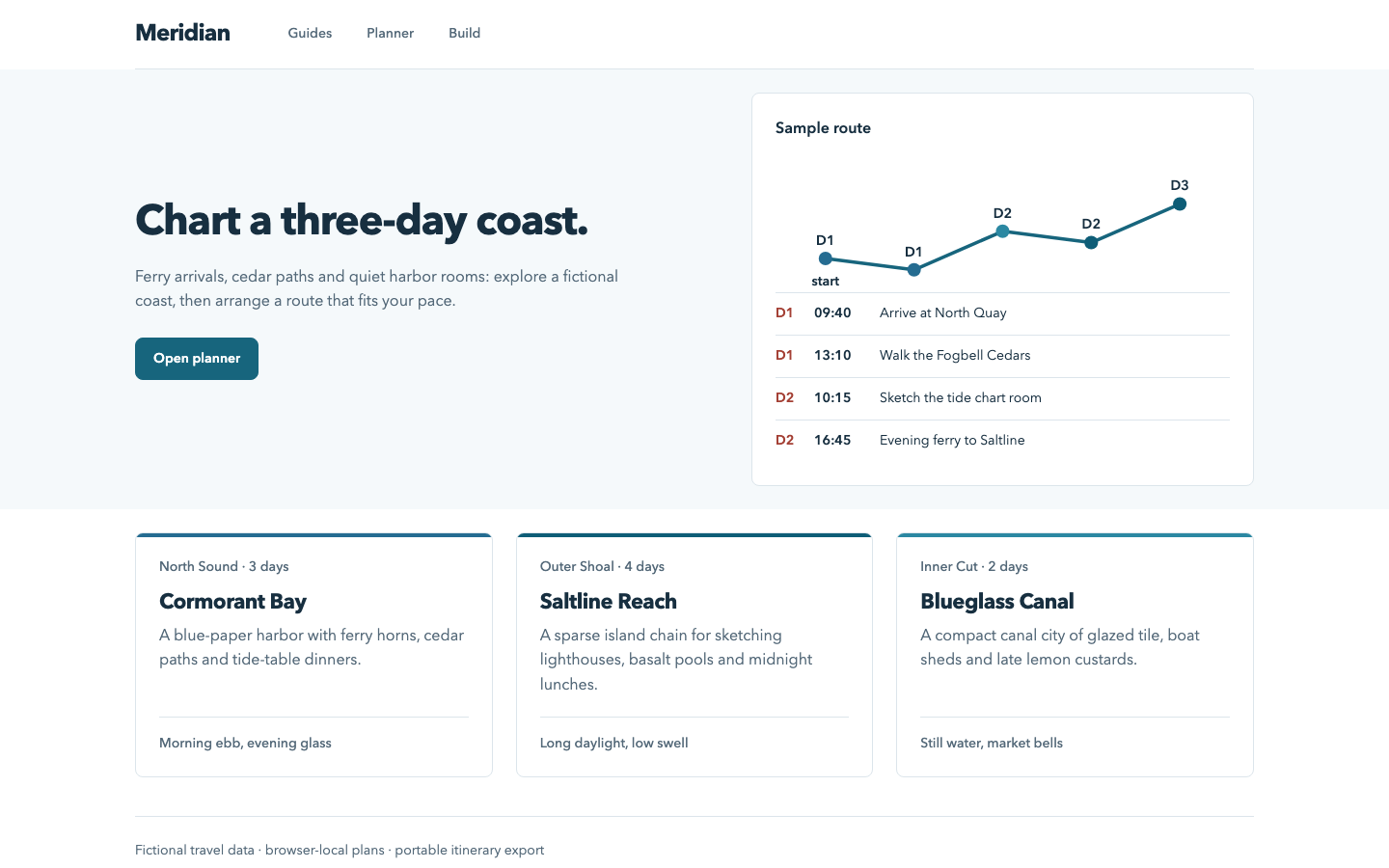
Planner controls stay compact, day headings and time columns are legible, and the route SVG uses actual sample stops. Reordering and reload persistence passed.
· Live on Vura
Planner controls stay compact, day headings and time columns are legible, and the route SVG uses actual sample stops. Reordering and reload persistence passed.
· Live on Vura
The existing public app remains available while a new design review examines hierarchy, typography, navigation and workflow clarity. Actual findings and before/after repairs will be recorded as they are verified.
· Live on Vura
Public source, green CI and the live app were checked together after the clean-machine documentation pass. Lessons and limitations now reflect the implemented code rather than pending pre-release work.
· Live on Vura
The public source and build reference match the released learning journal, and the source workflow is green. The demo remains live at the same verified deployment; README and CI-only refinements did not change application code.
· Live on Vura
The README now installs the locked Chromium engine after npm ci and explains the Linux system-library prerequisite. The hosted application is unchanged; code examples, repair notes and boundaries remain source-backed.
· Live on Vura
The reviewed implementation is available from its independent repository and real hosted URL. Detailed code examples and actual repair notes are linked below.
· In review
The local implementation is complete and revised visual evidence has passed review. Source and demo links will appear only after publication and hosted verification.
· In review
The implementation owner completed the local build and workflow checks. No public source release or hosted verification is claimed yet.
· Building
The standalone project files exist and the product build is active. No local verification or live release is claimed yet.
· Planned
This is a planned starter, not a working release. Implementation, tests, public source and deployment evidence will be added as they are completed.
No release blockers are recorded for this snapshot.
Read the public README and BUILD.md, reproduce the recorded checks and inspect the source before adapting the starter. A live demo, where available, provides separate deployed evidence.